
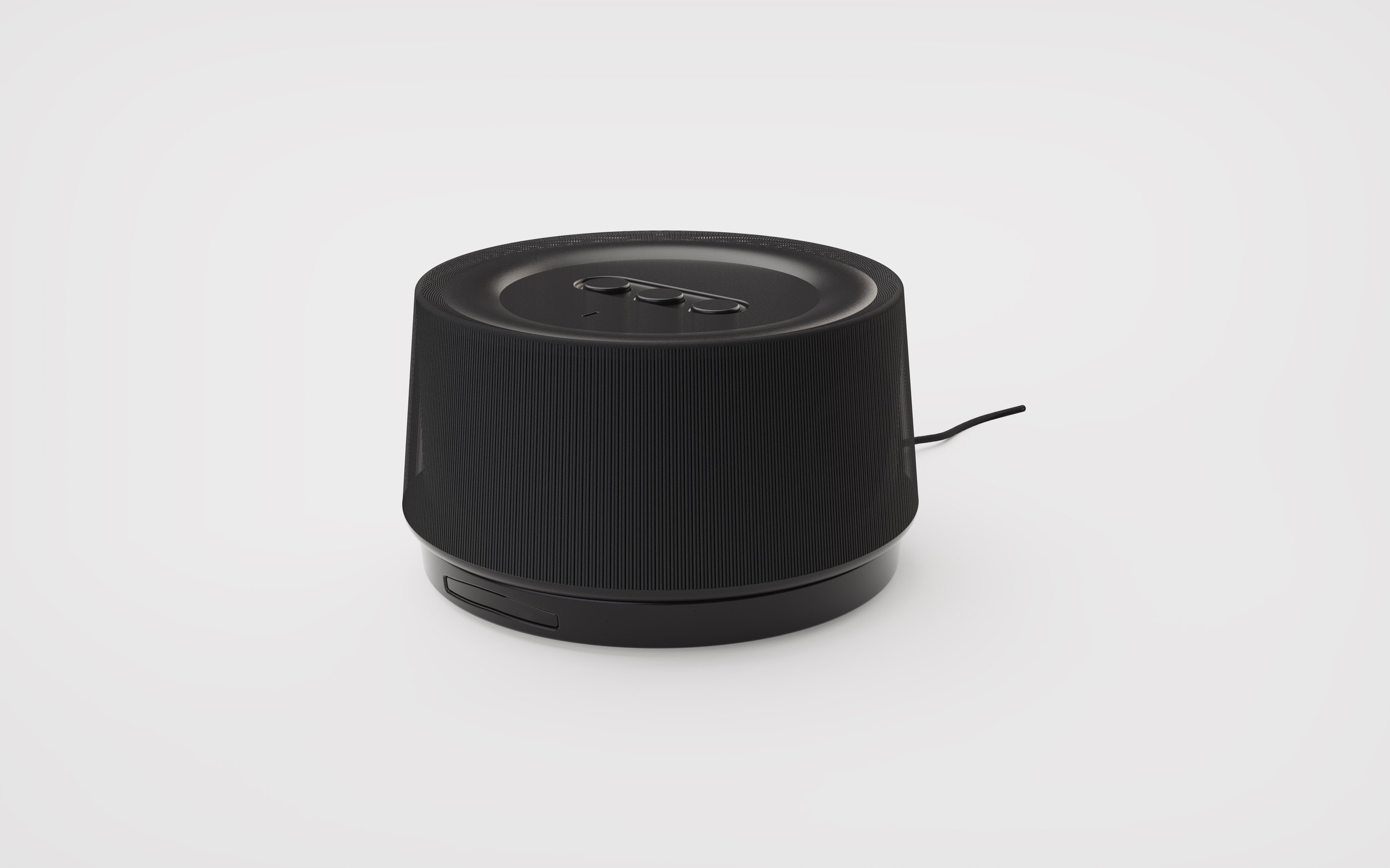
16 Week Project
2025-2026
Personal Project
Tools & Skills: Fusion, KiCad, Keyshot, 3D Printing, Soldering, PCB Design, C++, Javascript
Instruct - Digitial Caregiver Instruction
About
When a family member comes home from the hospital, the transition from professional to home care can be overwhelming. Friends and family are now responsible for providing care, often with nothing more than a printed discharge document.
Goal
How might I make a doctor’s care instructions accessible and understandable to the non-medical family members who carry them out at home?
Outcome
Instruct is a working three-part prototype: a Doctor’s Portal where clinicians build weekly care plans, a Caregiver App for viewing and tracking daily tasks, and a physical voice assistant built on an ESP32-S3 dev module that lets family members ask conversational questions and receive spoken responses drawn directly from the doctor’s instructions.
Background Information
Why Instruct?

The man in the blue shirt is my grandpa, and that little boy in the front with a big grin and two thumbs up is me. For as long as I can remember, my grandpa has been the life of the party, whether he was cracking jokes or playing the piano for a crowd. He was loud and full of energy. After a dementia diagnosis a few years back caused him to slow down, he began relying not only on a caregiver but also on my mother, her siblings, and other family members.
But with an ever‑evolving condition come new health concerns, challenges, and changes to his care plan. I observed firsthand how difficult it was to provide care amid those changes. I wondered how I could not only help lessen the load on caregivers but also improve patients’ health outcomes.
Two Thumps Up
Planning
Forming Connections Between Networks
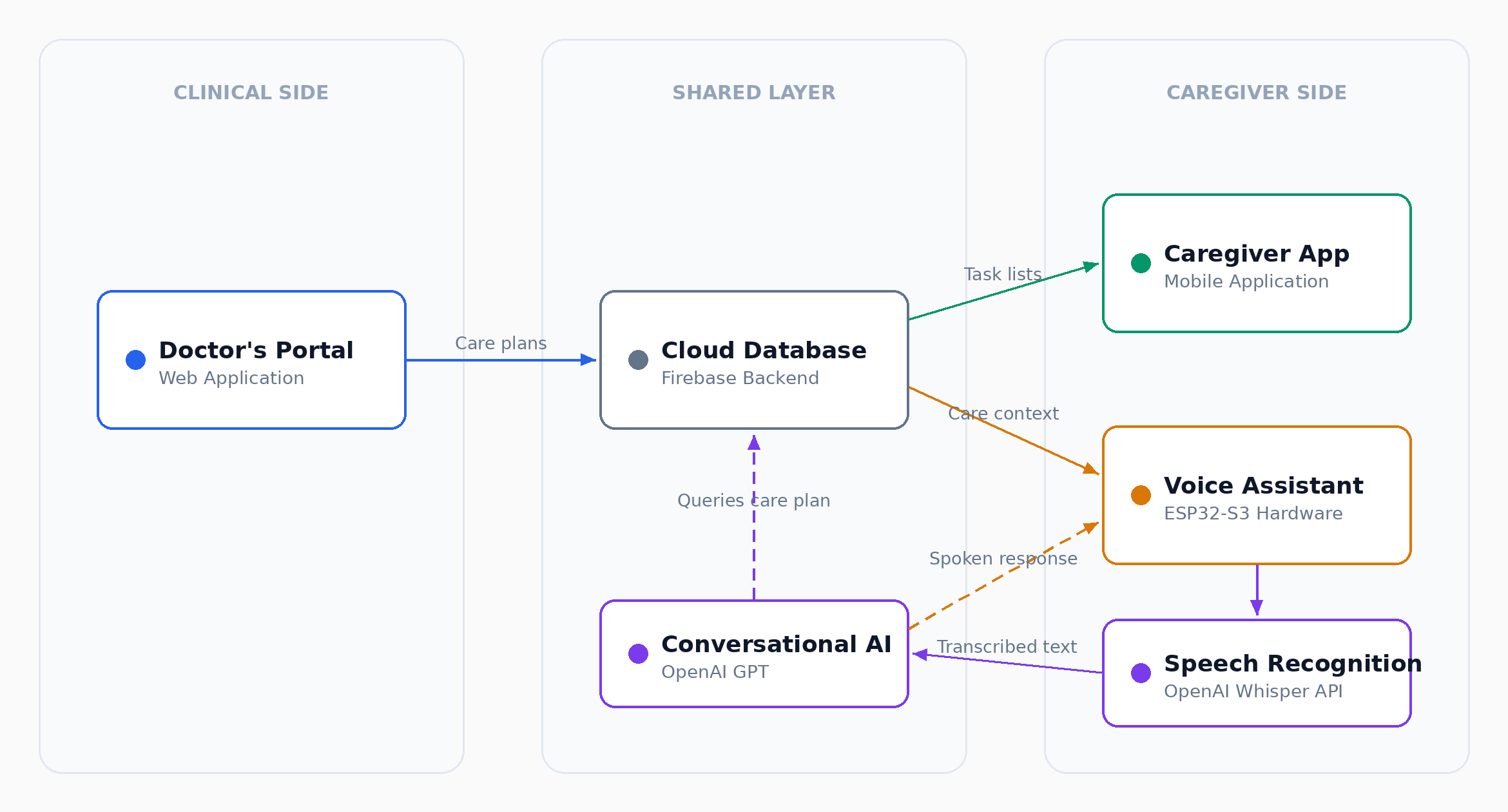
The problem is not a lack of care; it is a lack of clarity. I set out to build a system that connects those who create care instructions to those who provide the care. Three pieces, each designed for a different person in the care ecosystem.
The Basis of my Plan
Doctor’s Portal
A web application where clinicians can input a patient's information and build biweekly care plans, including medications, dosages, schedules, dietary restrictions, and more.
Caregiver App
A mobile app where patients and caregivers can see and interact with the patient's instructions, including what needs to happen that day, what's coming up, and who to call if something goes wrong.
Instruct Voice Assistant
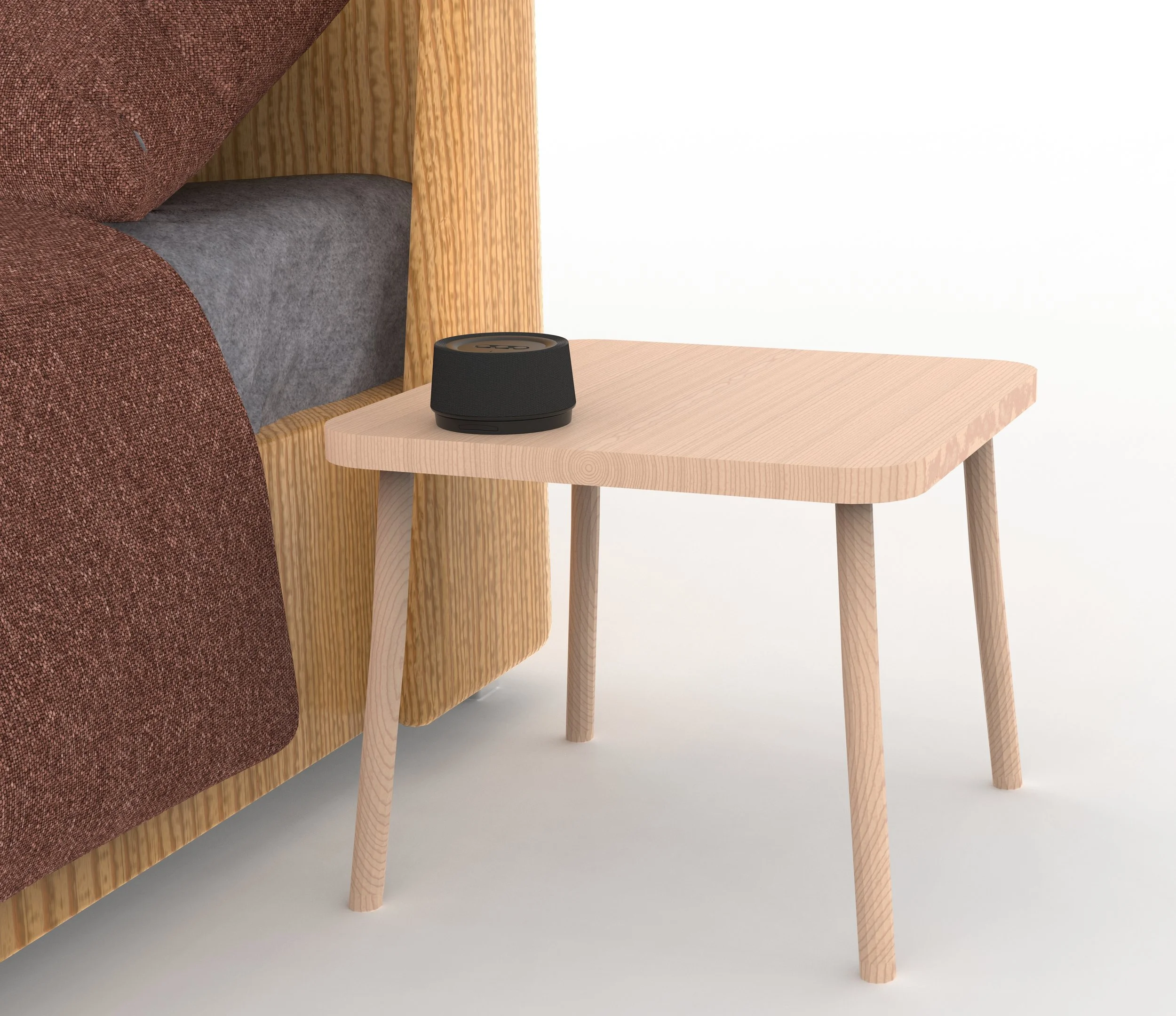
The final piece that ties it all together is a physical voice assistant called Instruct that lives on a bedside table or shelf in the patient's home. It allows a family member to ask questions like "What medications does Mom need this morning?" and get a real, conversational answer based on exactly what the doctor prescribed.
Building Digital Products
Directions Directly from the Doctor
Caregiver App
A mobile-first interface where family members and caregivers can view the current care plan, check what needs to happen today, see upcoming medications and appointments, and know who to contact if something goes wrong. Built to be clear enough that someone with no medical background can follow it confidently.
Doctor’s Portal
Built in React, the Doctor's Portal lets clinicians create and manage patient profiles, build biweekly care plans, and set medication schedules with dosages and timing. Everything entered here becomes the single source of truth that powers both the Caregiver App and the Voice Assistant.
Industrial Design
Initital Form Exploration
The Strart of Sketching
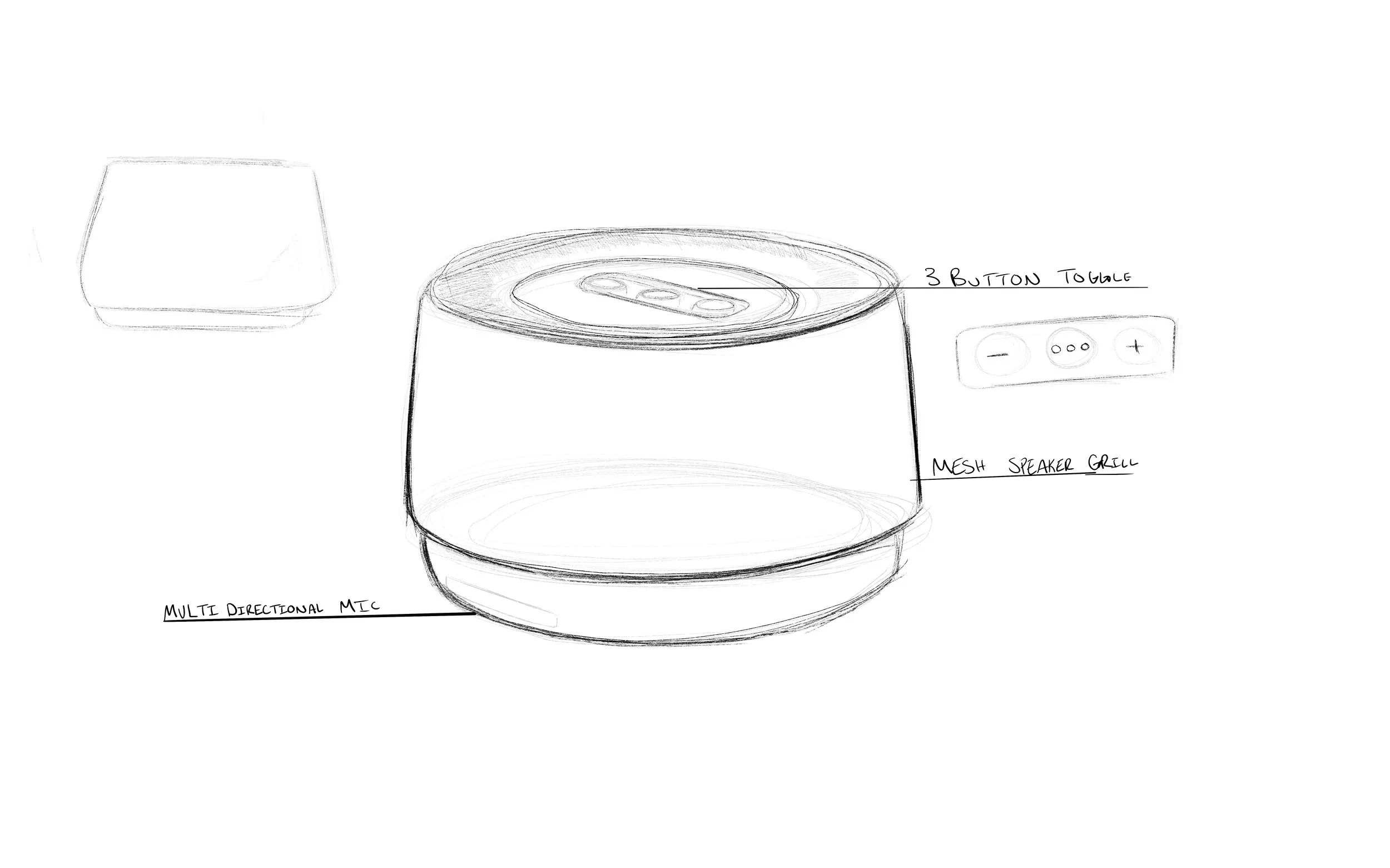
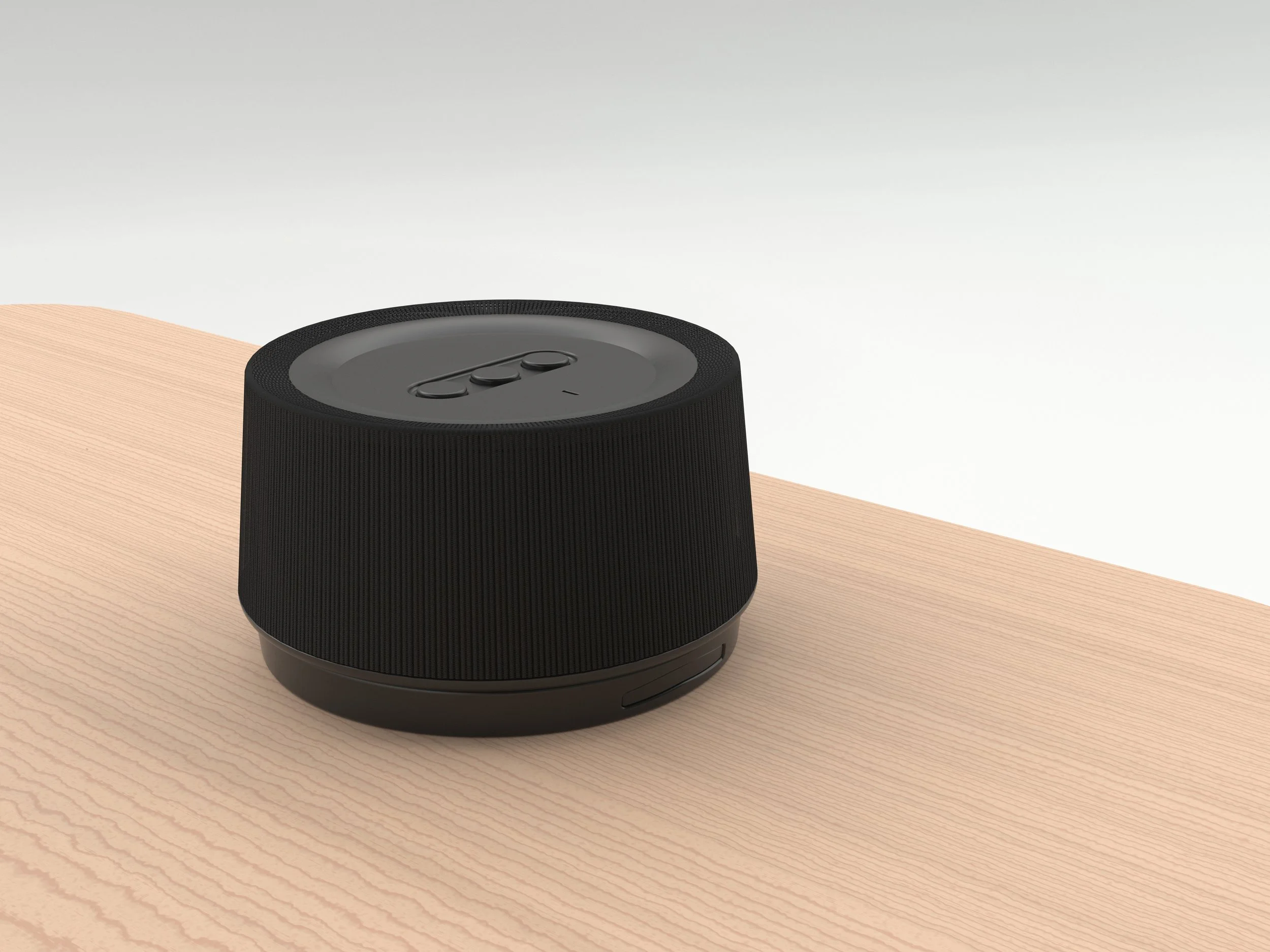
I started sketching how I wanted Instruct to look, exploring different forms and sizes to figure out what felt right for a device that would live in a home environment. I went through a range of directions before landing on something I was happy with. From there, I modeled it in Fusion 360 and brought it into KeyShot to render it out and get a clearer sense of what it would actually look and feel like in the real world.

Prototyping
Proving Functionality
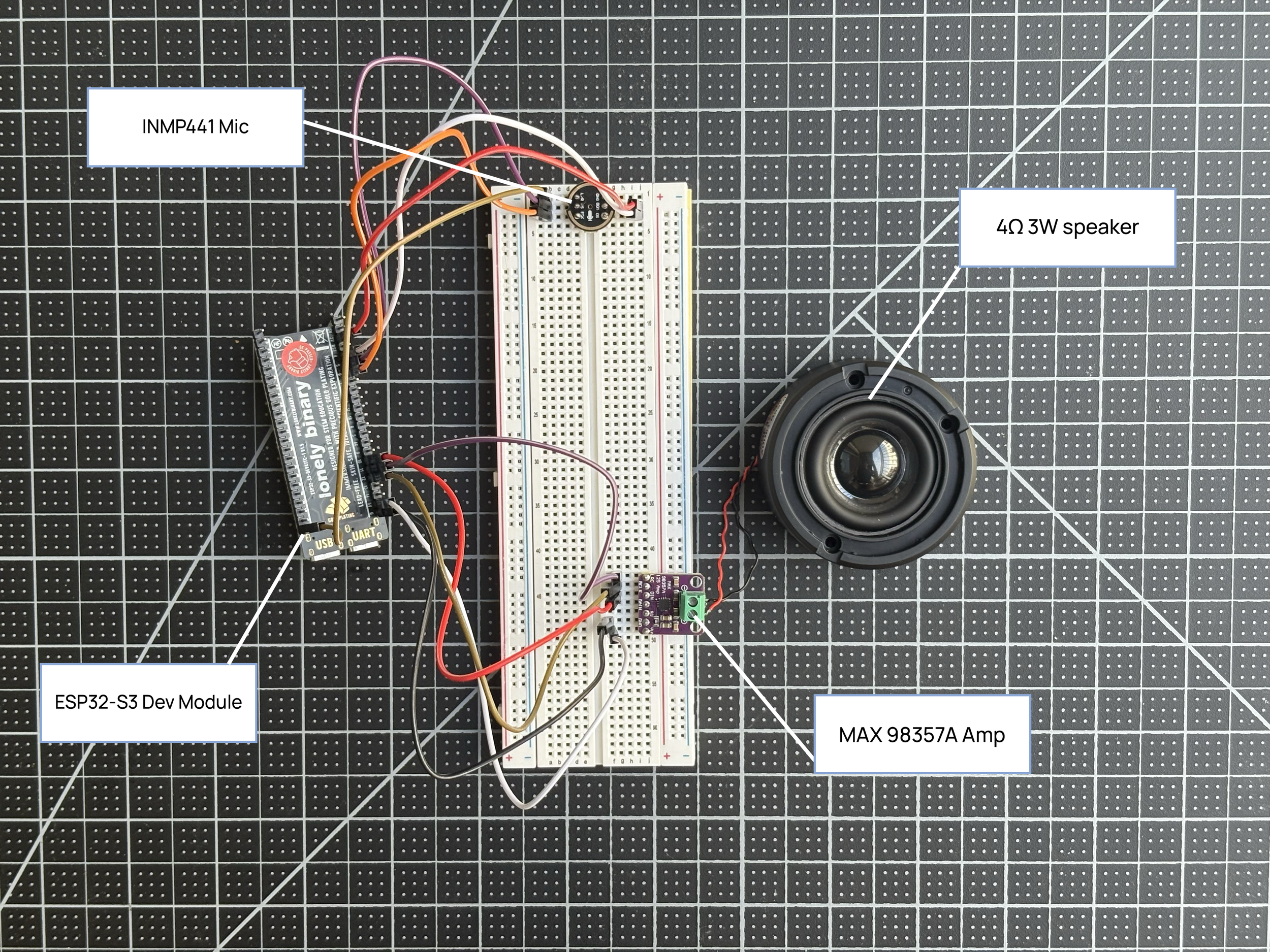
I built a breadboard prototype using an ESP32-S3 dev module, an INMP441 microphone for voice input, a MAX 98357A amplifier, and a 4Ω 3W speaker for audio output. The device captures a caregiver's spoken question, sends the audio to OpenAI's Whisper API for transcription, and then passes the resulting text, along with the patient's care plan, to a conversational AI model. The response comes back as plain language, not clinical jargon.
The goal was never a polished consumer product; it was a working proof of concept that the interaction model could actually support a family member giving care at home.
Progress Report
Drawing Schematics
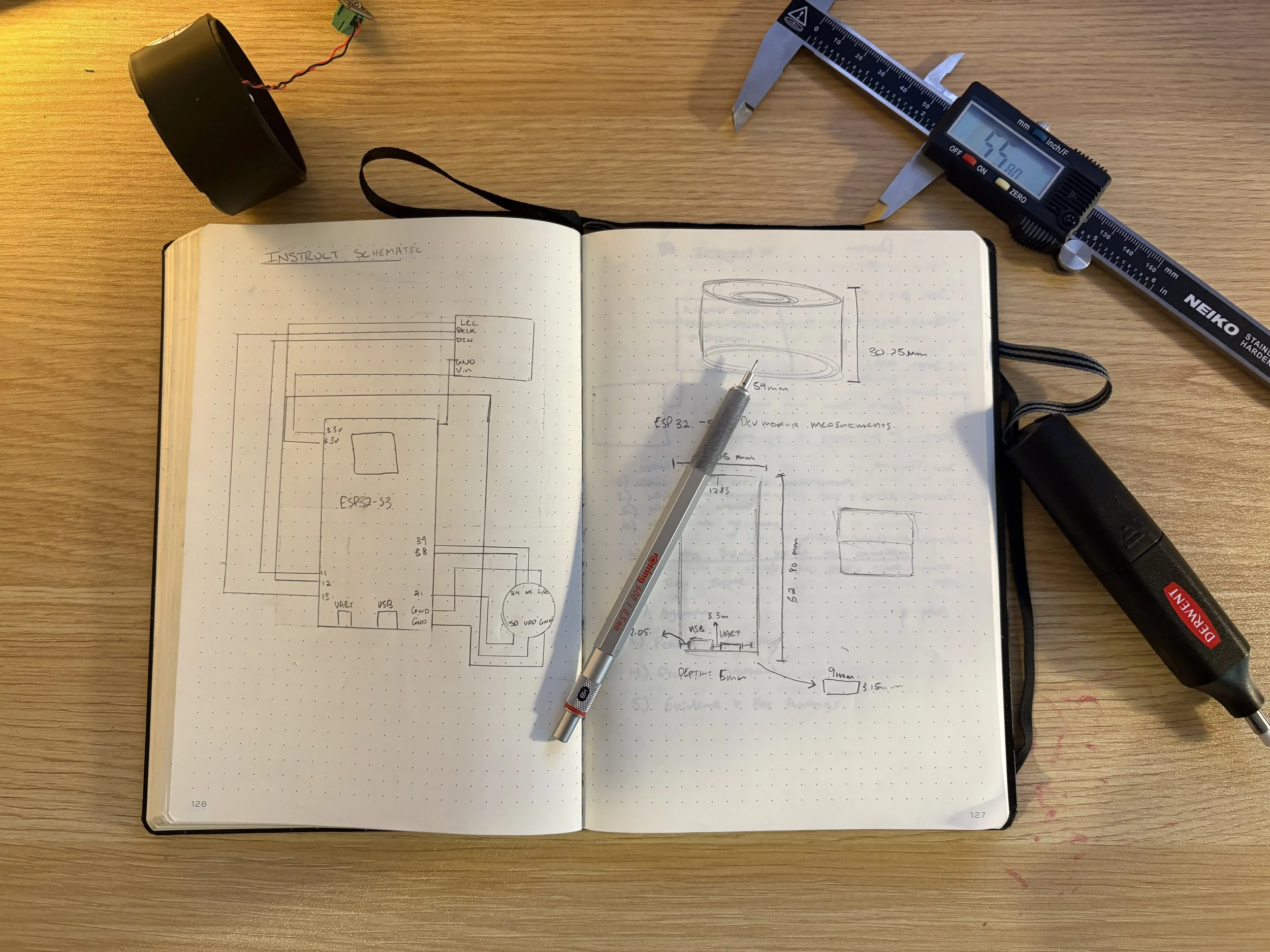
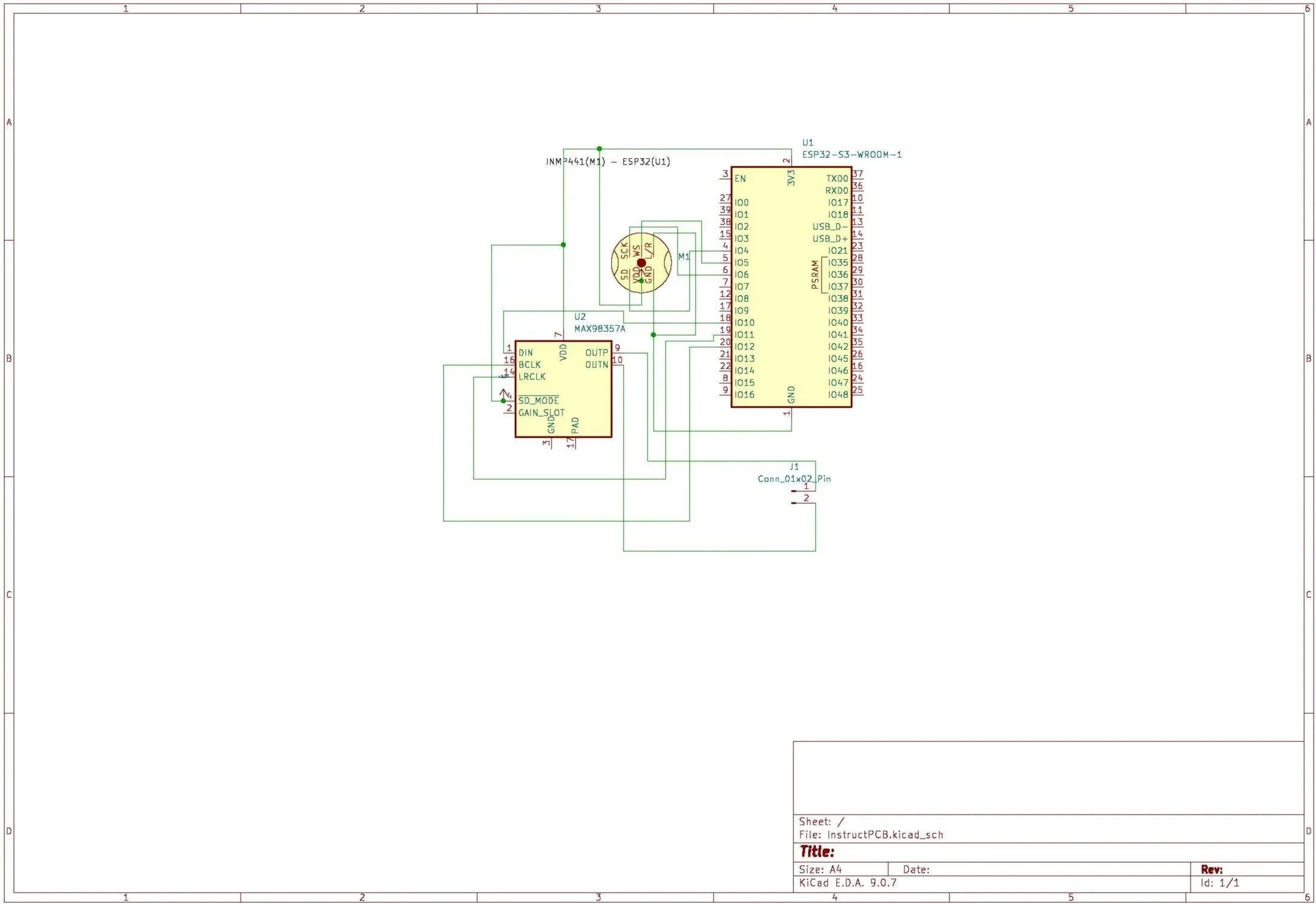
Once I had a functional prototype running on the breadboard, I wanted to move beyond the tangle of jumper wires and loose modules. I turned to KiCad to start building out my own schematic, mapping out all the connections and components properly with the goal of working toward a custom PCB that consolidates everything into a clean, purpose-built board.
Building My Own Board
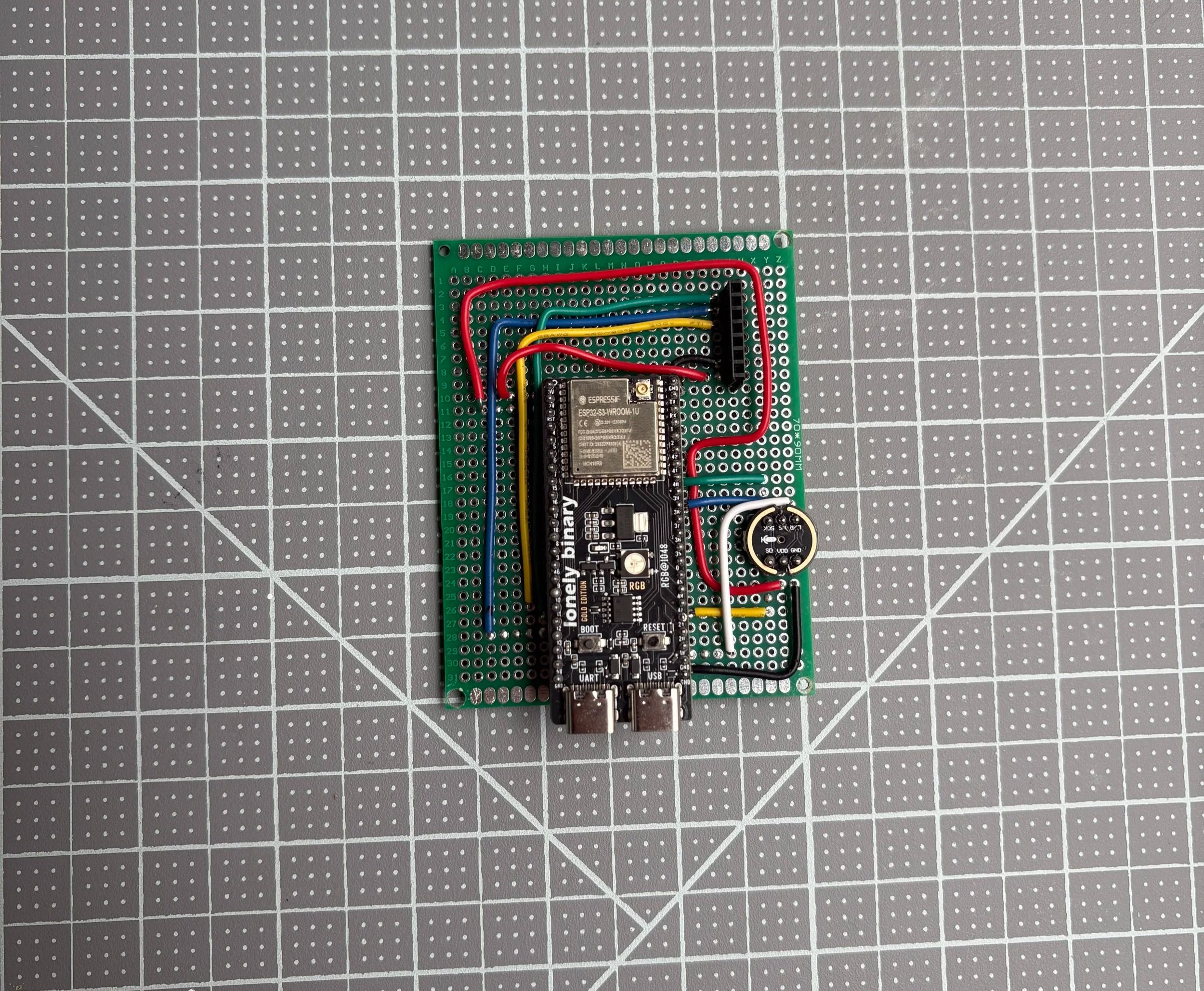
With my schematic mapped out, I moved into fabrication, transferring the design onto the perfboard and hand-soldering each connection according to it. It's a more hands-on approach than sending a board out for manufacturing, but it lets me build and test quickly while staying close to the hardware.
The Most Recent Prototype
3D Printing Trial and Error
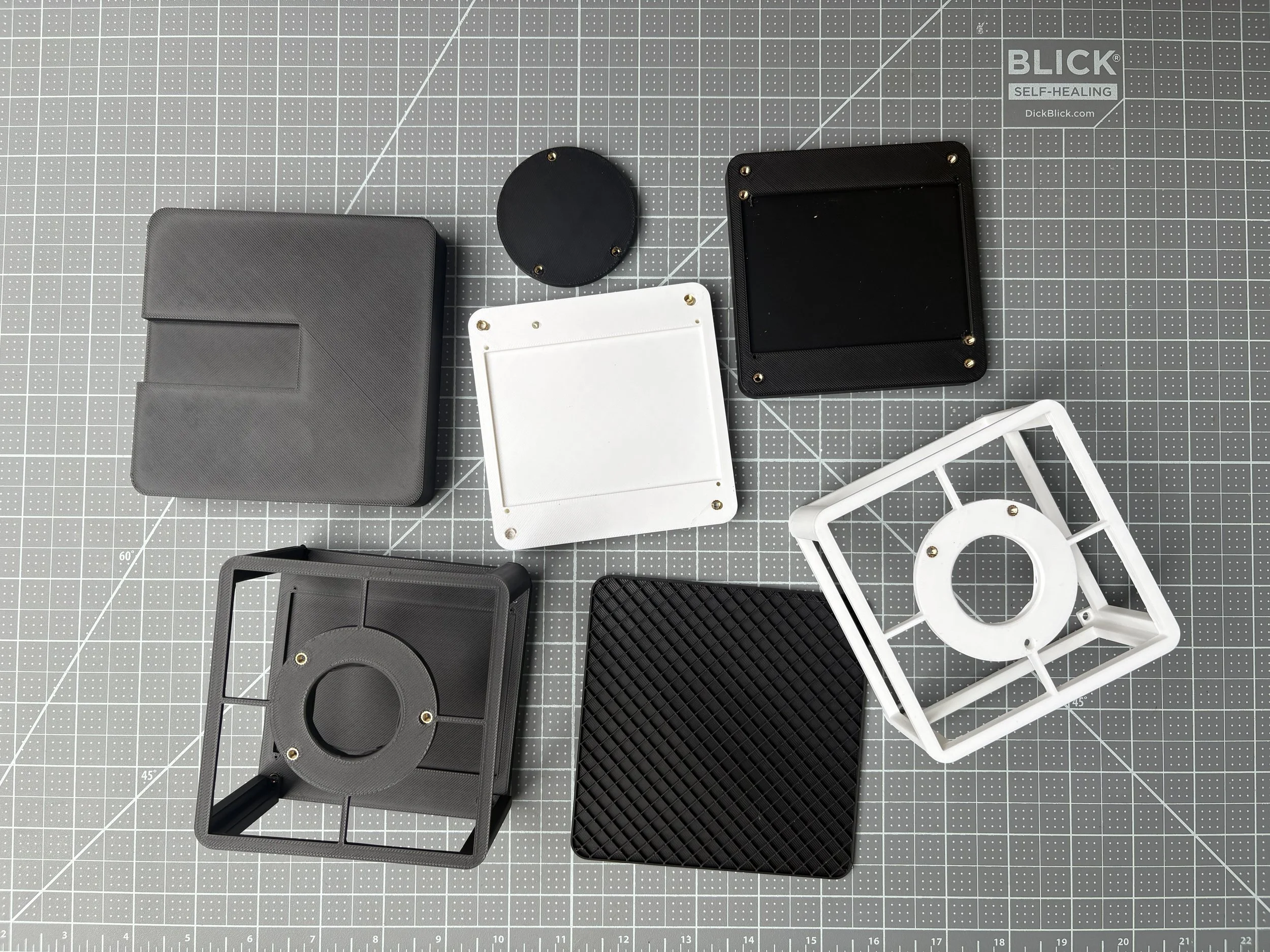
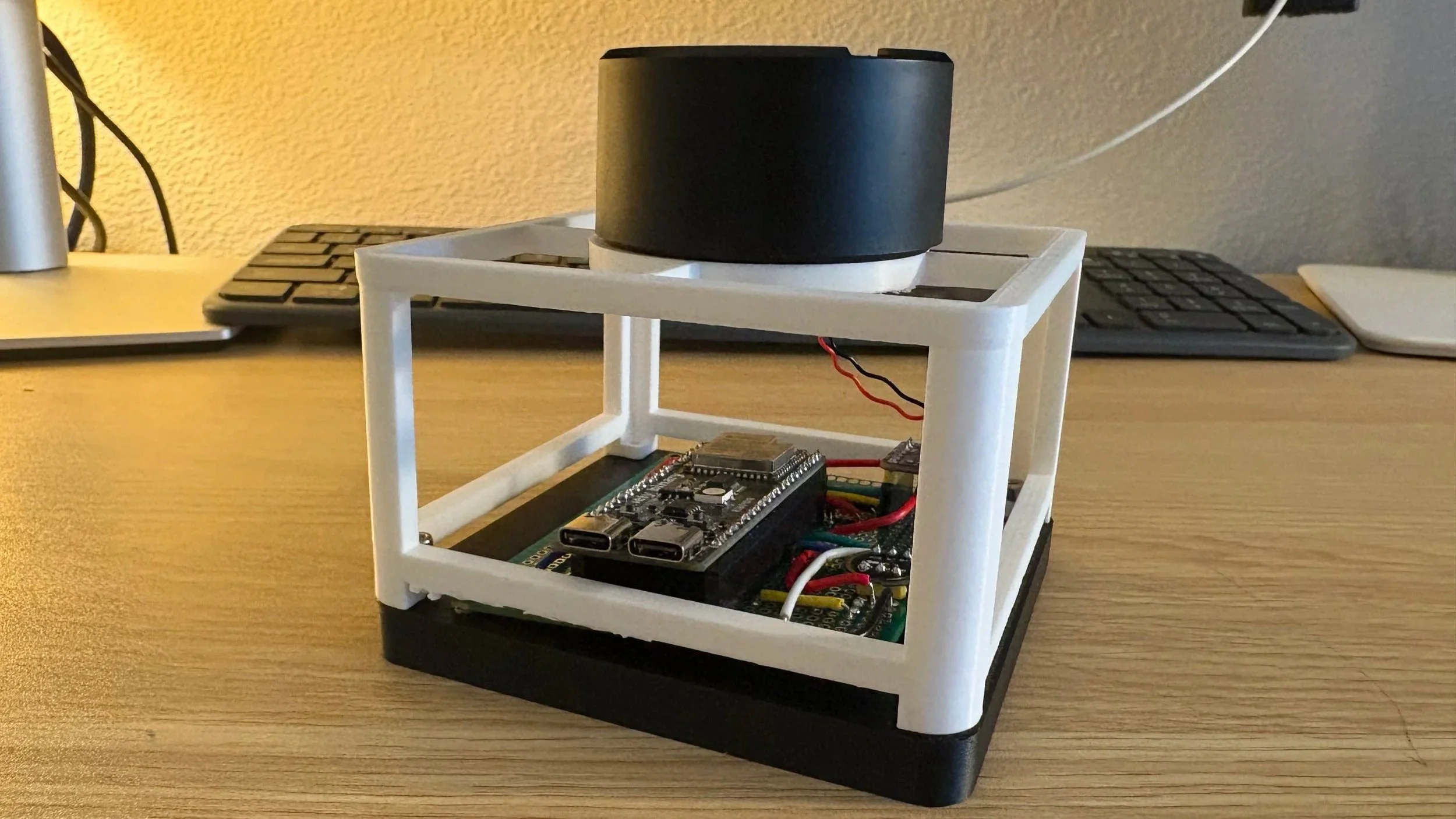
With the board taking shape, I went back into Fusion 360 to start designing a housing for it. I worked through multiple versions, iterating on the form to make sure everything fit together correctly, accounting for the board layout, component clearances, and how the whole thing would come together as a finished object.
This is my most recent prototype housing, 3D-printed and assembled, with the perfboard PCB seated in the base and the speaker mounted on top. From here, I'm working toward a higher fidelity version that gets closer to the fit, finish, and form of the final design
What’s Next
Currently In Progress
Progress Report
Instruct is still a living project. Right now, I'm finalizing the electronics, working through reliability issues with the audio pipeline, and tightening the connection between the ESP32, Whisper, and the conversational AI so the interaction feels seamless, not fragile. Once the functionality is locked in, the next step is to build a higher fidelity physical enclosure using 3D-printed parts.